Pay every vendor on time, without a spreadsheet
A wedding can have a dozen vendors, each with a deposit, a balance and a date. Here is how to keep every payment in view, from the first quote to the tip envelopes.

Write down every payment the contract names
When you sign, copy each payment into your tracker with its amount and its due date, not just the total:
- The deposit that holds your date
- Any installments
- The final balance, often due shortly before the wedding
- Tips, paid on the day
Keep three numbers per vendor
What they quoted, what you contracted and what you have paid. The gap between the first two shows where the budget moved; the gap between the last two is what you still owe. Keep the contract and the cancellation terms with them.
Look sixty days ahead
A list sorted by due date beats a list sorted by vendor. Once a week, look at what falls due in the next two months and what is already late. Final balances tend to bunch up in the last weeks, so plan the cash for them early.
Plan the tips before the day
Put the tips in the budget from the start, then prepare an envelope per vendor and give them to one person who will hand them out. Thank-you money is the easiest thing to forget when the party starts.
Your vendor payments in noiva
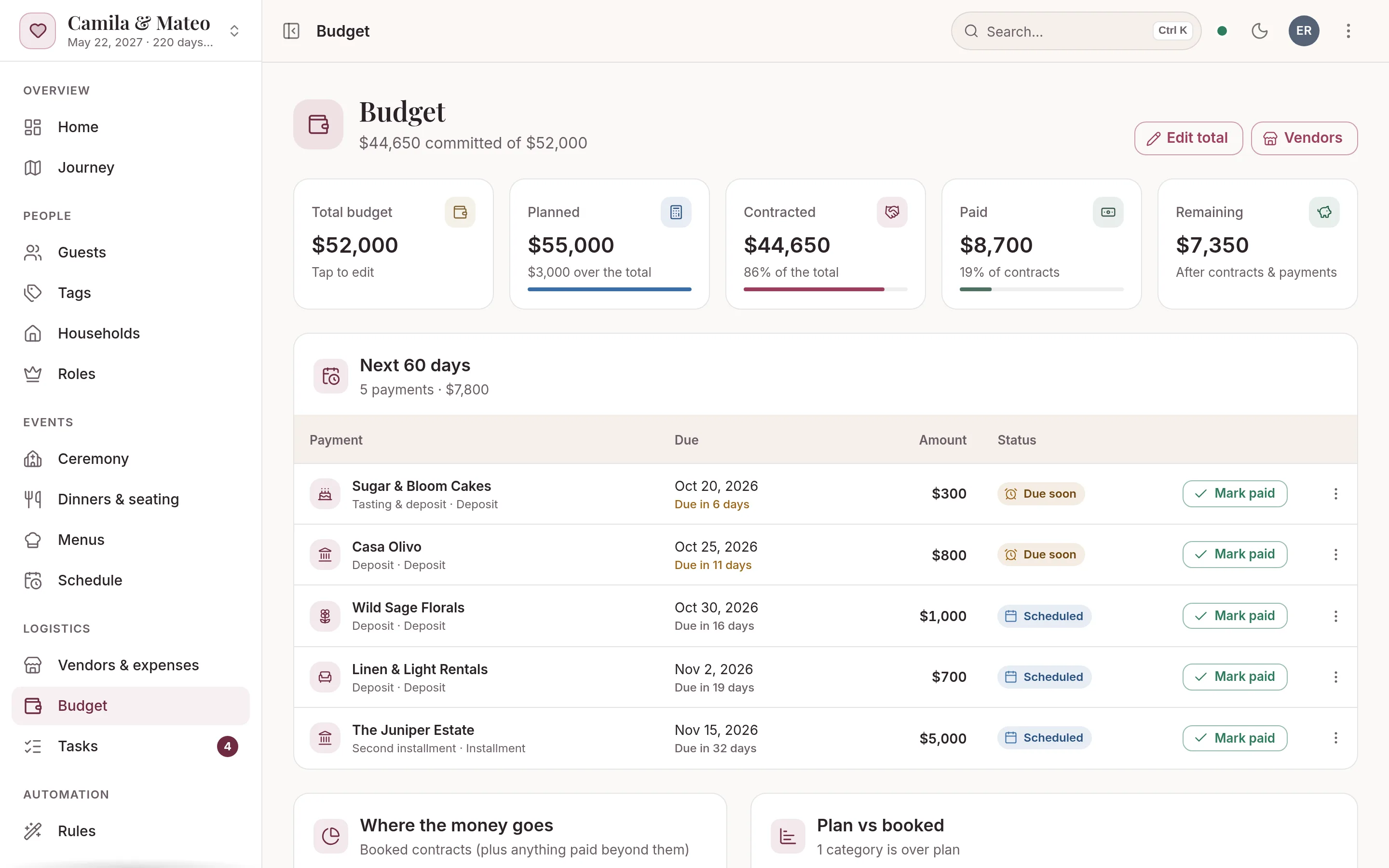
Each vendor carries its own payments, and the budget adds them up by category: planned, contracted and paid.
- Move each vendor from maybe to bookedResearching, contacted, quoted, booked, with the quoted and contracted amounts, contacts and notes beside them.
- Add the payments from the contractDeposits, installments, the final payment and tips, each with its amount and due date.
- See what is dueThe budget lists the unpaid payments due in the next 60 days and the ones already overdue. Mark one paid in a tap when you send it.
- Share the work, keep the recordsGive a parent or a planner the Vendors role to manage vendors and payments. The vendor payments report prints or downloads as a CSV.
Free includes up to 50 guests, 2 people planning, every planning tool and your wedding website, but no AI credits for the assistant.
The Wedding Pass ($149 once) or Monthly ($15 a month) adds unlimited guests, 500 AI credits a month for the assistant and a custom domain.
Most guest lists run 80 to 300: import your first 50 free, upgrade in a click. Compare plans →
Questions
When are wedding vendor payments usually due?
Most vendors ask for a deposit when you sign to hold the date, and the balance shortly before the wedding; some split it into installments. The contract sets the amounts and dates, so copy each one into your tracker when you sign.
Should tips go in the wedding budget?
Yes. Budget them from the start and track them like any other payment. In noiva a tip is one of the payment kinds, so it shows with the rest of what you owe.
Can someone else manage the vendor payments?
Yes. Give a parent or your planner the Vendors role in noiva: they manage vendors and payments, and the guest list stays yours.
More guides
Wedding guest list and RSVP tracker
Build the list by household, set a reply-by date that works backward from the caterer, and follow up without a group chat.
How to make a wedding seating chart
When to start, who to seat first, how many fit at a table and what the venue needs from you the week of the wedding.
Padrinos: wedding sponsor traditions and roles
Velación, anillos, arras, lazo and the rest: what each pair brings, how to ask them and when they take part in the ceremony.
A wedding planning spreadsheet alternative
What a spreadsheet does well, where it breaks once RSVPs and seating start, and how to move it into one connected plan.

Your wedding, beautifully under control.
Setting up your wedding takes a minute, and you won’t need a card or a password. Add your guests and invite your partner today.