When the wedding spreadsheet stops keeping up
A spreadsheet is a fine place to start a wedding. It gets hard when the tabs have to agree with each other. Here is how to tell when you have reached that point, and what to do about it.

What a spreadsheet does well
It is free, it is familiar, and it bends to any wedding. For the first months (a draft guest list, a few vendor quotes, a budget total) it is often all you need.
Where it breaks
The trouble starts when one change has to show up in several places:
- A guest replies, and the RSVP tab, the seating tab and the caterer’s count all need the same edit
- Two versions get emailed around, and nobody knows which is current
- Editing a big sheet on a phone, at the venue, is painful
- A helper sorts one column and the rows no longer match
- RSVPs arrive by form, text and phone, and someone copies them in by hand
If you keep the spreadsheet
Give each job its own tab (guests, vendors and payments, budget, tasks, seating) and put one person in charge of each. Keep the household on every guest row, freeze the header row, and never sort a single column on its own.
When to switch
The moment you start collecting RSVPs or seating guests, the tabs have to talk to each other. That is the point where a connected plan saves more time than it costs to move.
From the spreadsheet to noiva
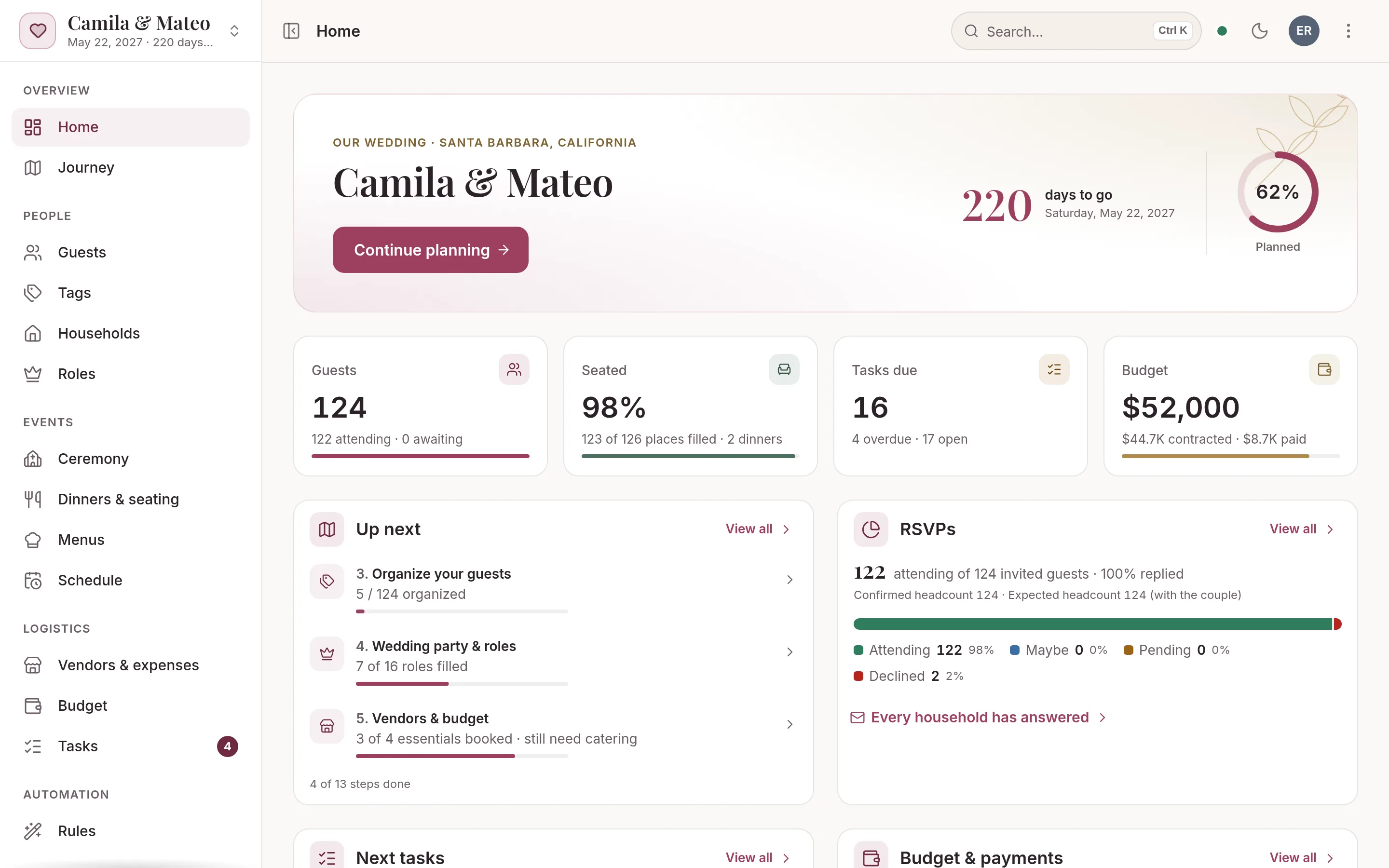
You don’t start over: you bring the sheet you have, and from then on every part of the plan works from the same records.
- Import your sheetSave the guest tab as a CSV and import it. noiva matches your columns and values, flags possible duplicates and groups families into households.
- One change, everywhereWhen a guest replies, the seating, the meal counts and the caterer’s headcount update together.
- Plan together, liveYour partner, your planner and your family work on the same wedding at once, from a phone or a laptop, each with the access you give them.
- Your data stays yoursExport the guest list to CSV whenever you like, and print or download any report: guests, seating, menus, vendors, payments and tasks.
Free includes up to 50 guests, 2 people planning, every planning tool and your wedding website, but no AI credits for the assistant.
The Wedding Pass ($149 once) or Monthly ($15 a month) adds unlimited guests, 500 AI credits a month for the assistant and a custom domain.
Most guest lists run 80 to 300: import your first 50 free, upgrade in a click. Compare plans →
Questions
Can I import my wedding spreadsheet into noiva?
Yes. Save the guest list as a CSV, from Excel, Google Sheets or Numbers, and import it. noiva matches your columns and flags possible duplicates before anything is added.
Can I get my data back out?
Yes. Export the guest list to CSV at any time, and download any report, from seating by table to vendor payments, as a CSV.
Can my family work on the plan too?
Yes. Invite your partner, your family or your planner, and everyone sees each change as it happens. How many people can join depends on the plan.
More guides
Wedding guest list and RSVP tracker
Build the list by household, set a reply-by date that works backward from the caterer, and follow up without a group chat.
How to make a wedding seating chart
When to start, who to seat first, how many fit at a table and what the venue needs from you the week of the wedding.
Wedding vendor payment tracker
Write down every payment each contract names, track quoted, contracted and paid, and look sixty days ahead.
Padrinos: wedding sponsor traditions and roles
Velación, anillos, arras, lazo and the rest: what each pair brings, how to ask them and when they take part in the ceremony.

Your wedding, beautifully under control.
Setting up your wedding takes a minute, and you won’t need a card or a password. Add your guests and invite your partner today.