Features

Every part of the wedding,
in one plan

Six parts that share one plan, and an assistant that knows all of them. Change the guest list and the seating, menus, place cards and budget follow along.

Free includes up to 50 guests, 2 people planning, every planning tool and your wedding website, but no AI credits for the assistant.

The Wedding Pass ($149 once) or Monthly ($15 a month) adds unlimited guests, 500 AI credits a month for the assistant and a custom domain.

Most guest lists run 80 to 300: import your first 50 free, upgrade in a click. Compare plans →

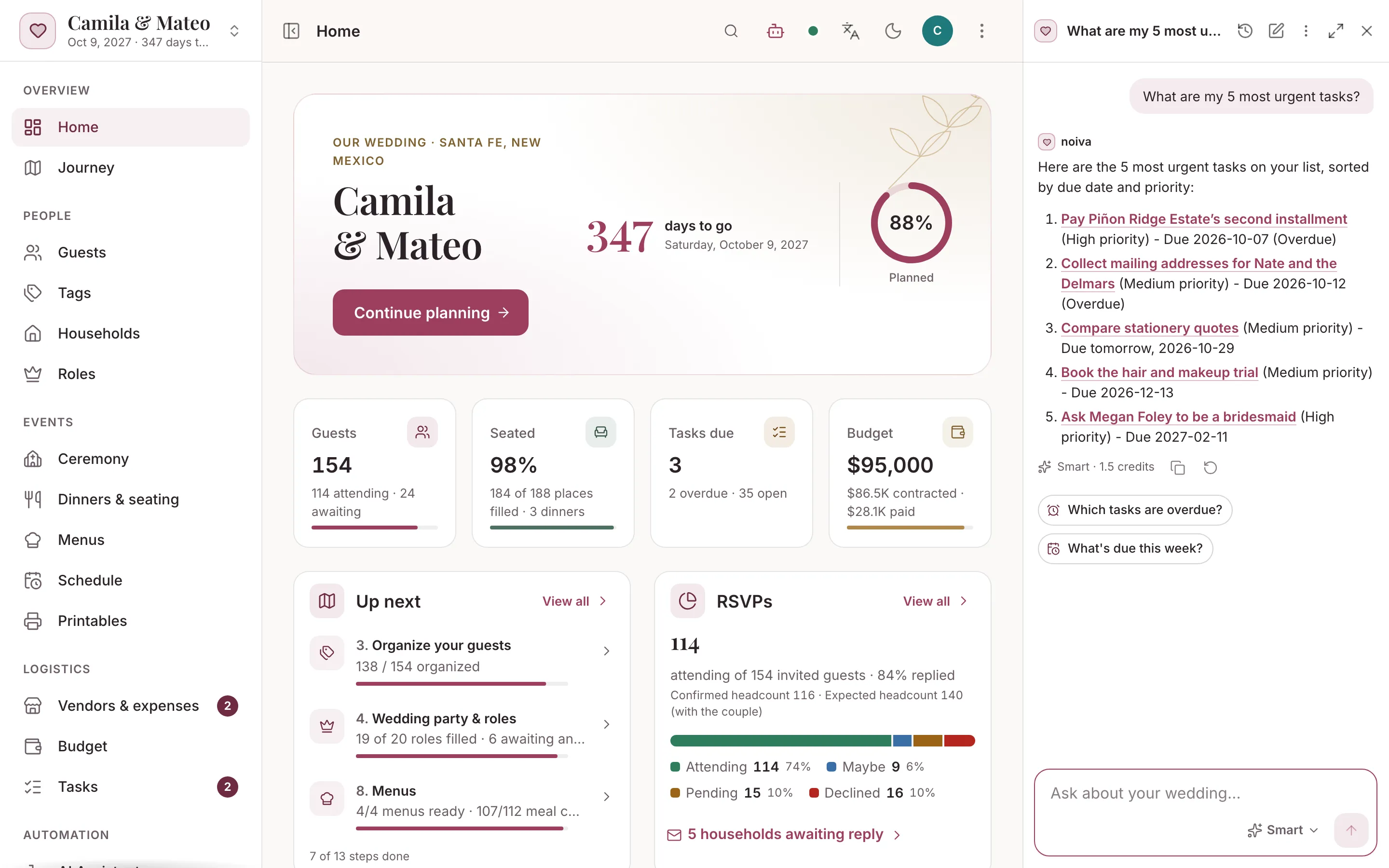
The noiva home screen with the assistant open beside it, listing the five most urgent tasks, each one a link
01

Your wedding planner, on call 24/7

Ask noiva anything about your wedding. It answers from your own plan, links every record it names, and makes the changes you ask for.

  • Answers from your own plan, with links
  • Changes for you, the big ones after you approve
  • In a side panel, full screen or on your phone
  • Private conversations, in English or Spanish

Meet the assistant →
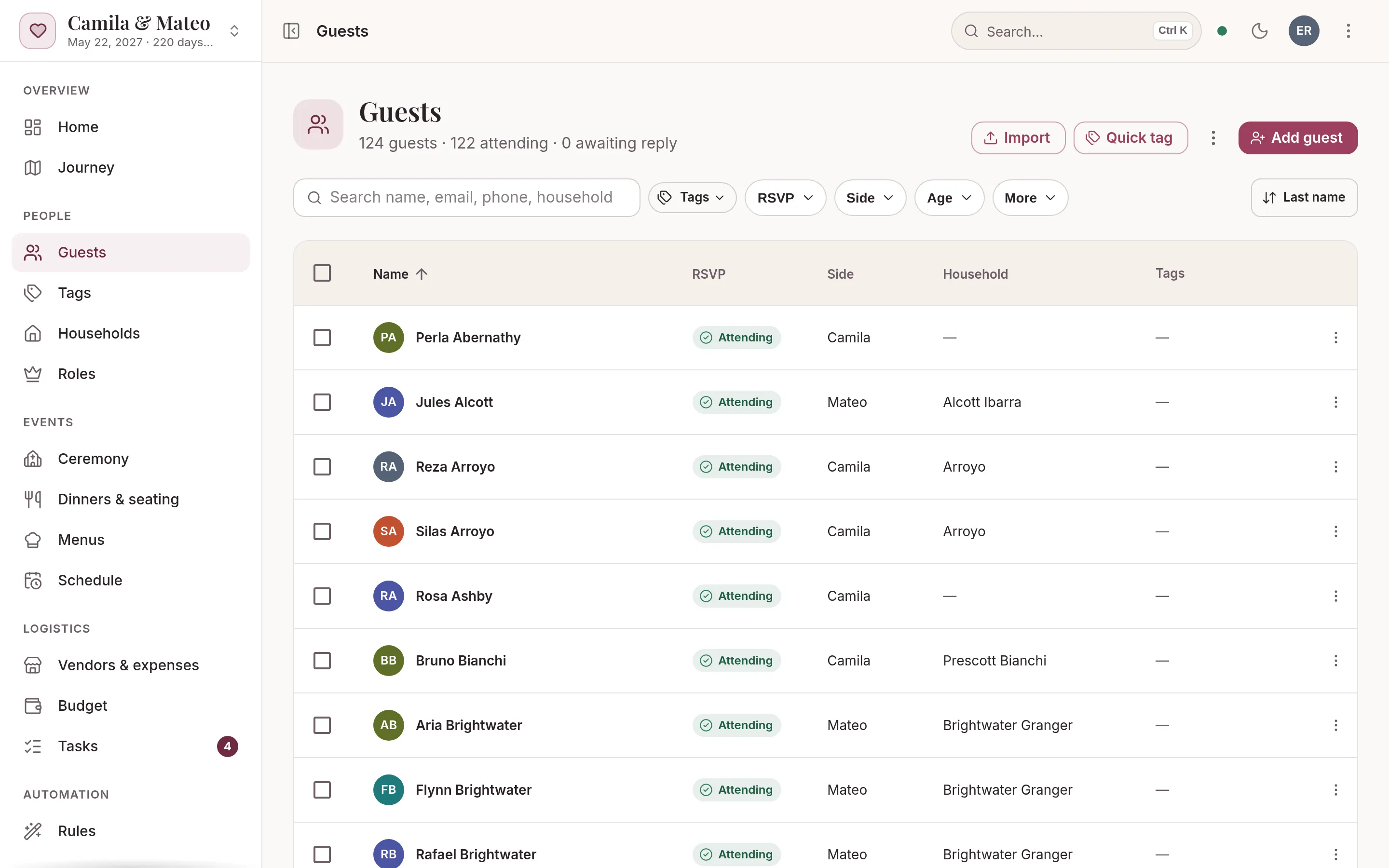
The guest list with RSVP, side and household columns
02

Guest list, households & RSVPs

One list for everyone you’re inviting. Import it, tag people, group families into households and collect RSVPs.

  • CSV import with duplicate detection
  • Households, tags and plus-ones
  • RSVPs from personal links
  • Rules that sort meals and invitations
Explore the guest list →
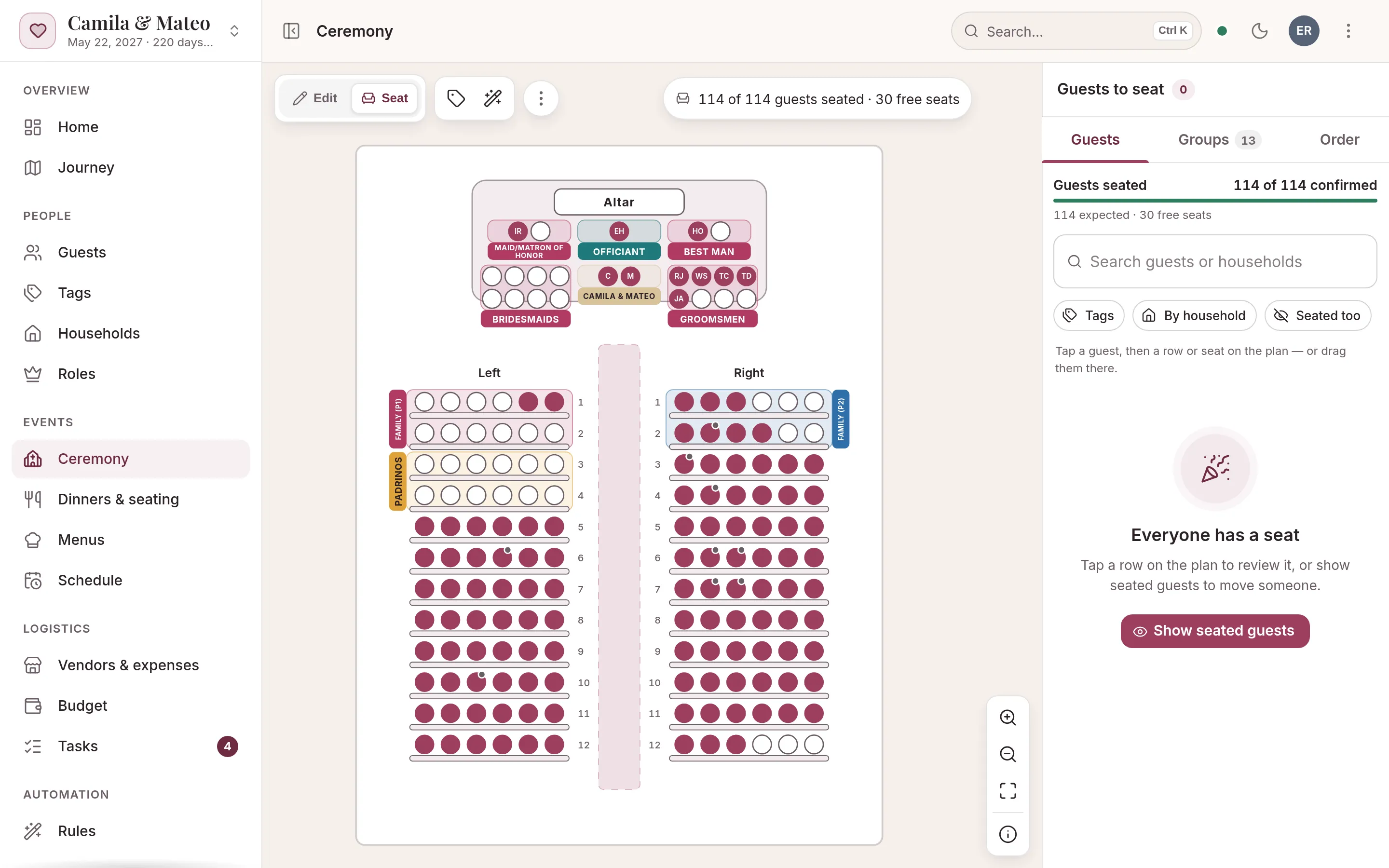
The ceremony seating plan with the altar, the wedding party and reserved rows
03

Ceremony, seating & menus

Church layouts, reception floor plans and meal choices, with drag-and-drop and auto-seat.

  • Ceremony layouts with reserved sections
  • Reception floor plans, any table shape
  • Drag and drop, tap-to-place, auto-seat
  • Menus with meal choices and caterer counts
Explore ceremony & seating →
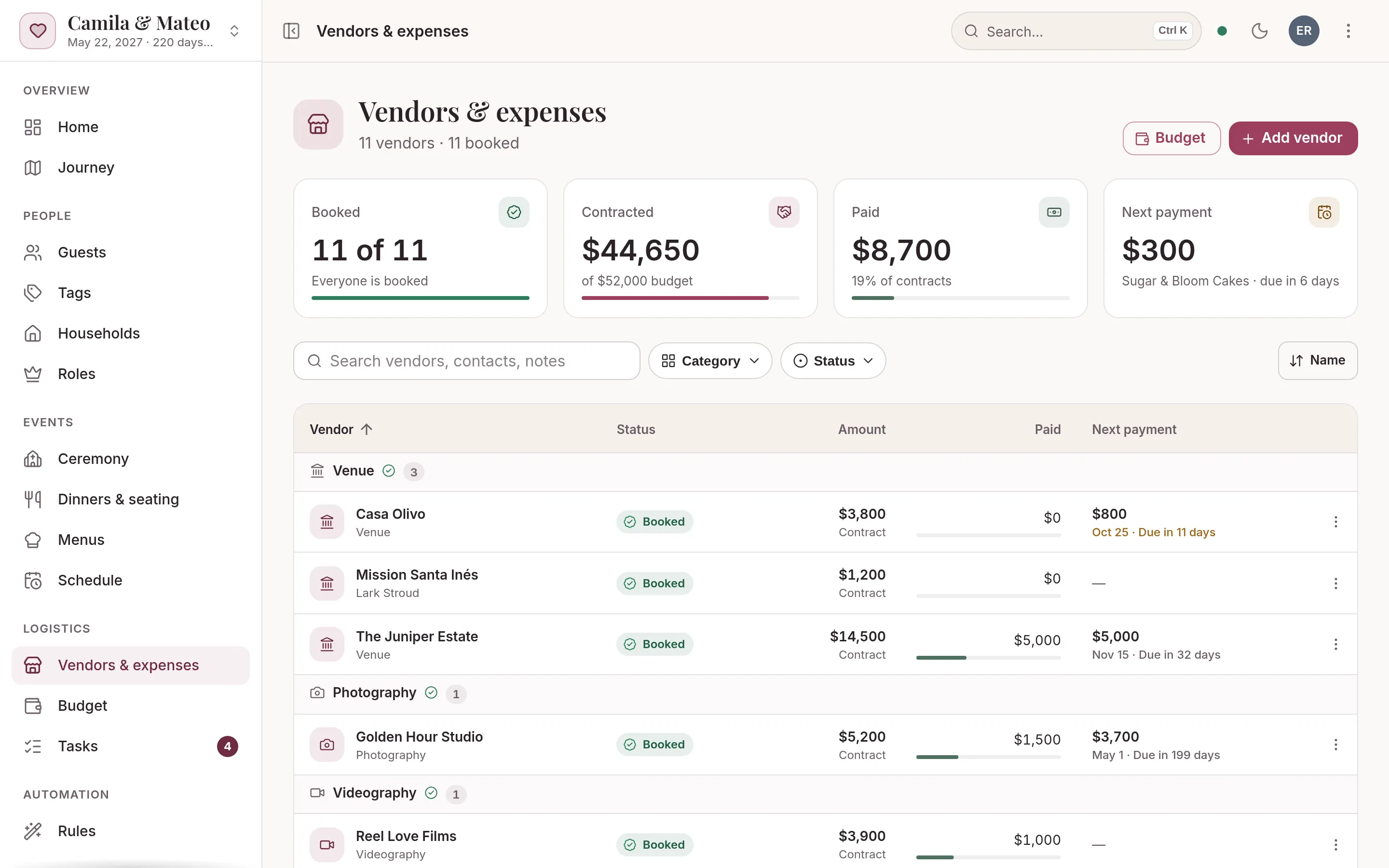
Vendors grouped by category with status and contract amounts
04

Vendors, payments & budget

Each vendor from first quote to final payment, and a budget that keeps track of what you’ve committed.

  • Vendors from research to booked
  • Deposits, balances and due dates
  • Budget: planned, contracted, paid
  • Vendor staff meals counted
Explore vendors & budget →
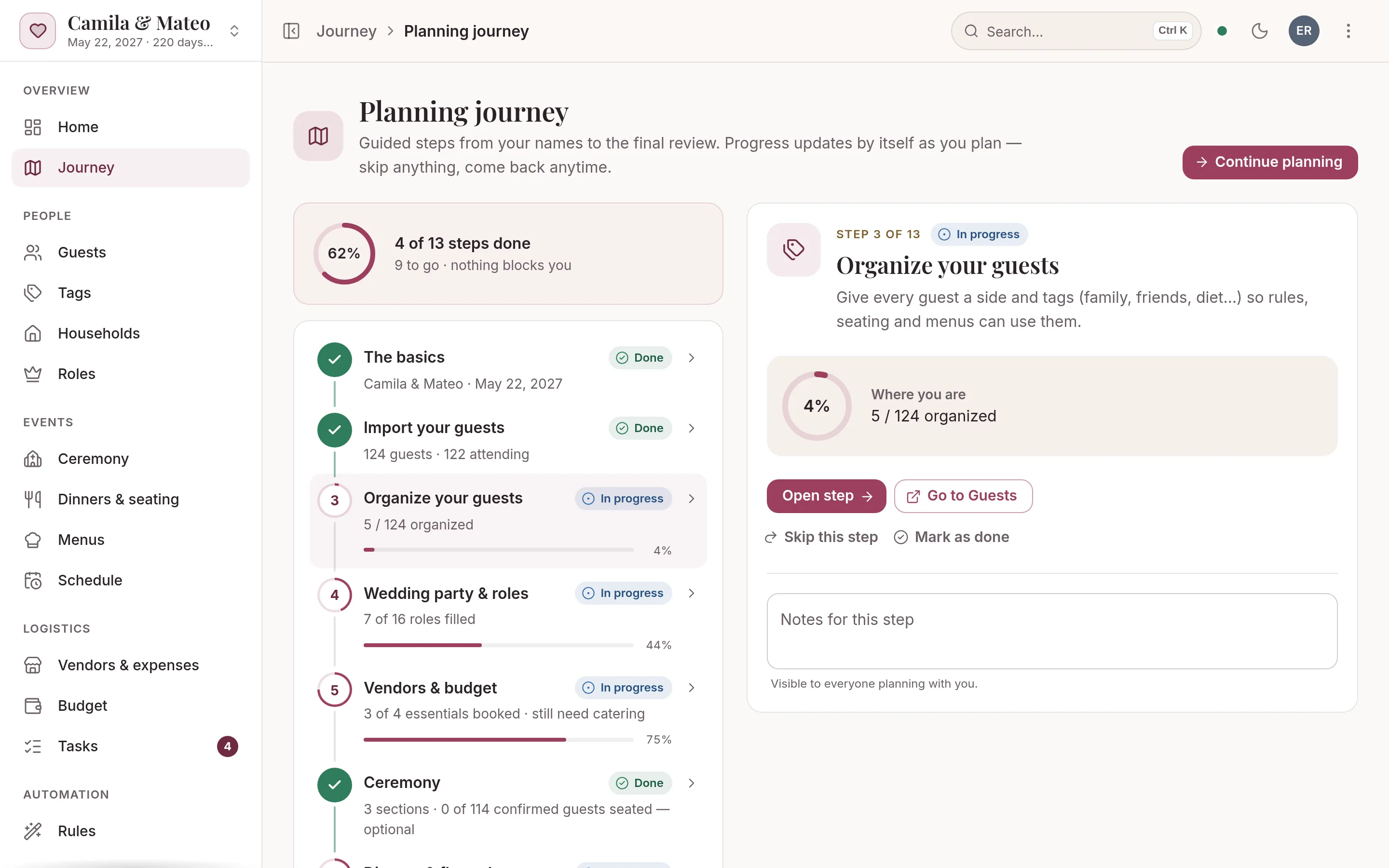
The planning journey with live progress on each step
05

Planning journey, tasks & schedule

A guided path from “we’re engaged” to the run of show, with a checklist built from your date.

  • A guided 13-step journey
  • Tasks generated from your date
  • Wedding party roles and duties
  • Run of show and personal itineraries
Explore the planning journey →
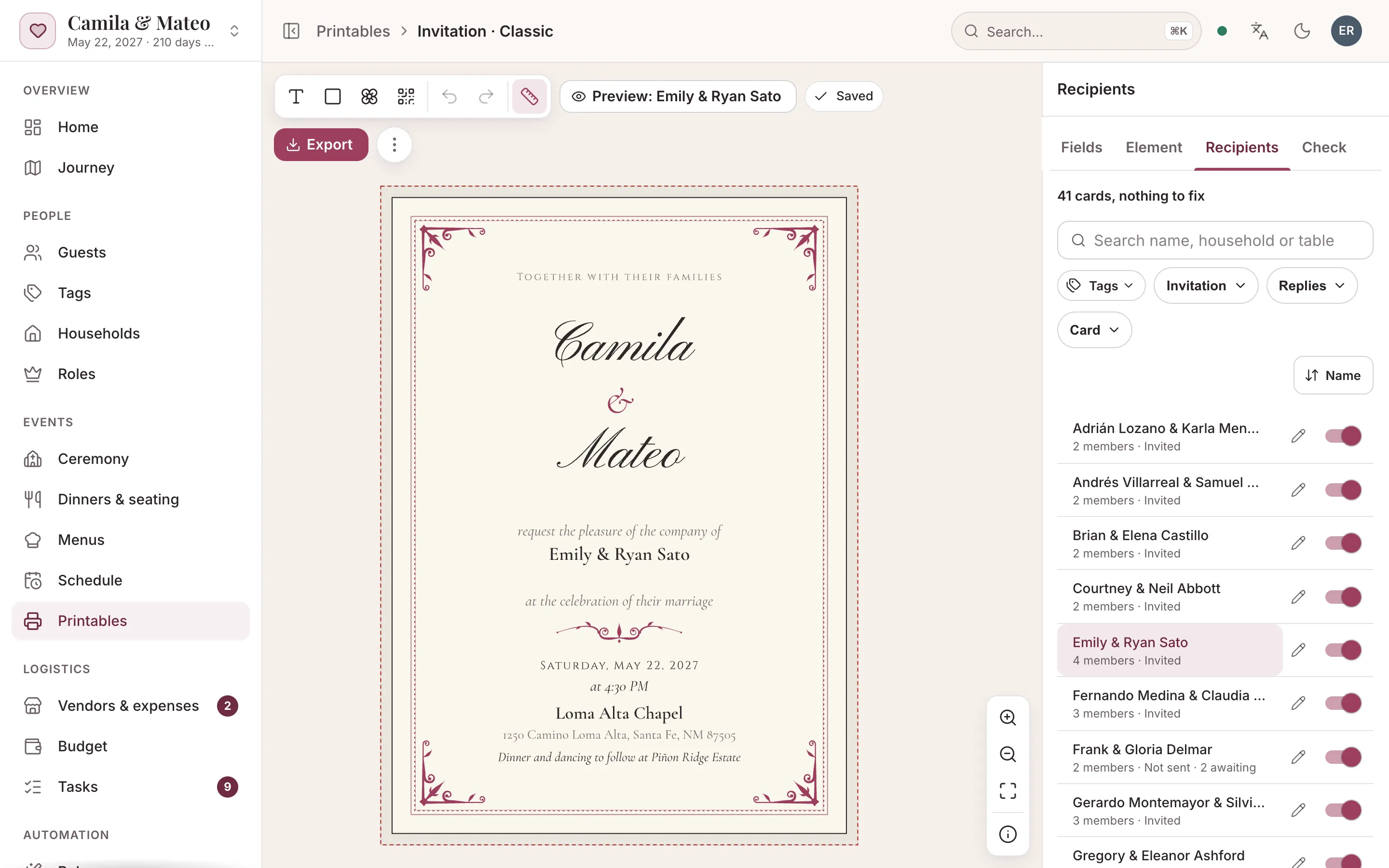
The invitation editor previewing one household’s card
06

Invitations, place cards & printables

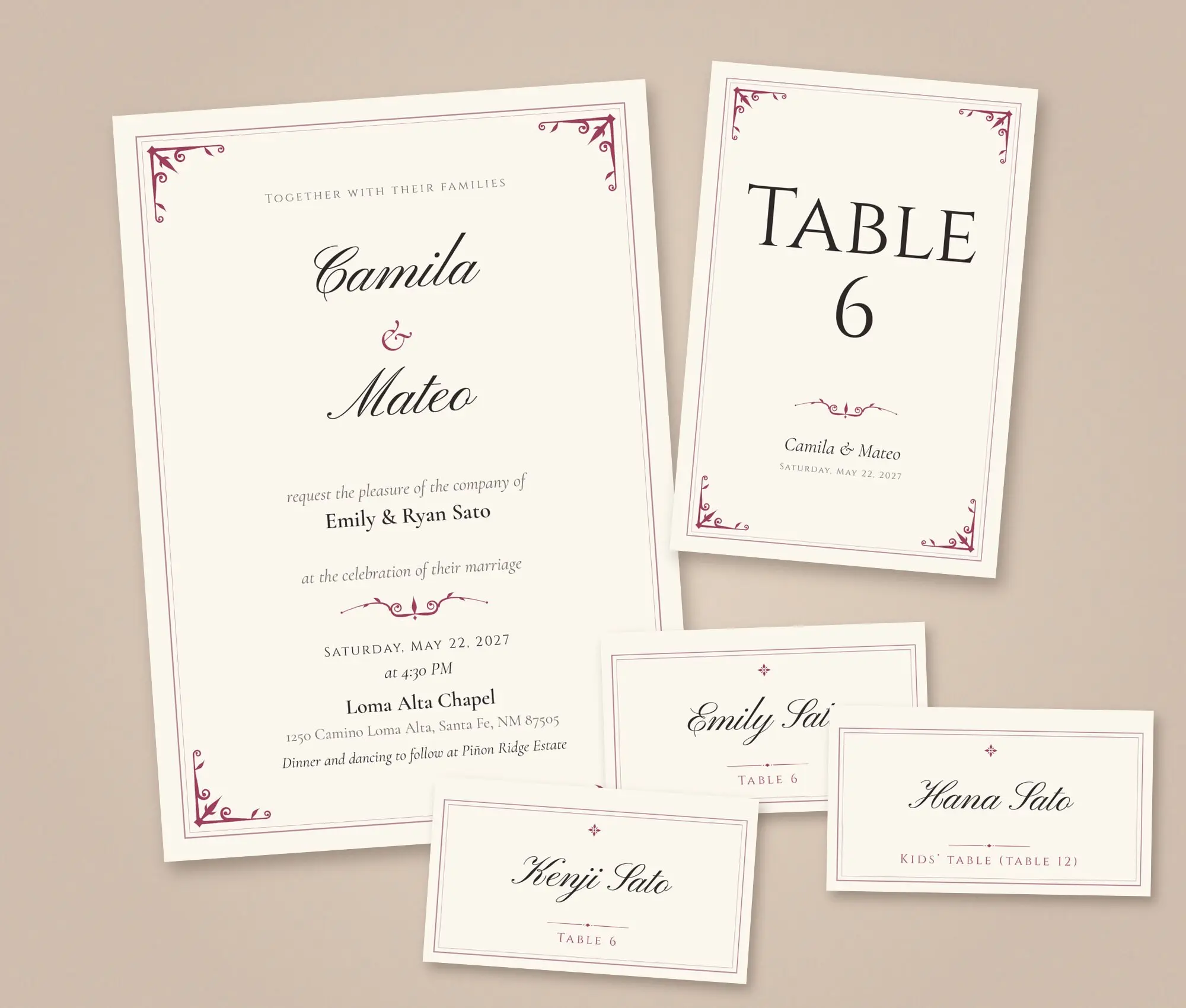
Invitations, place cards, menus and table numbers in five styles, filled in with your wedding’s details and ready to print.

  • Invitations, place cards, menus and more
  • Five styles, printed in English or Spanish
  • Filled in per guest, household or table
  • PDF for the print shop or Letter/A4 at home
Explore printables →
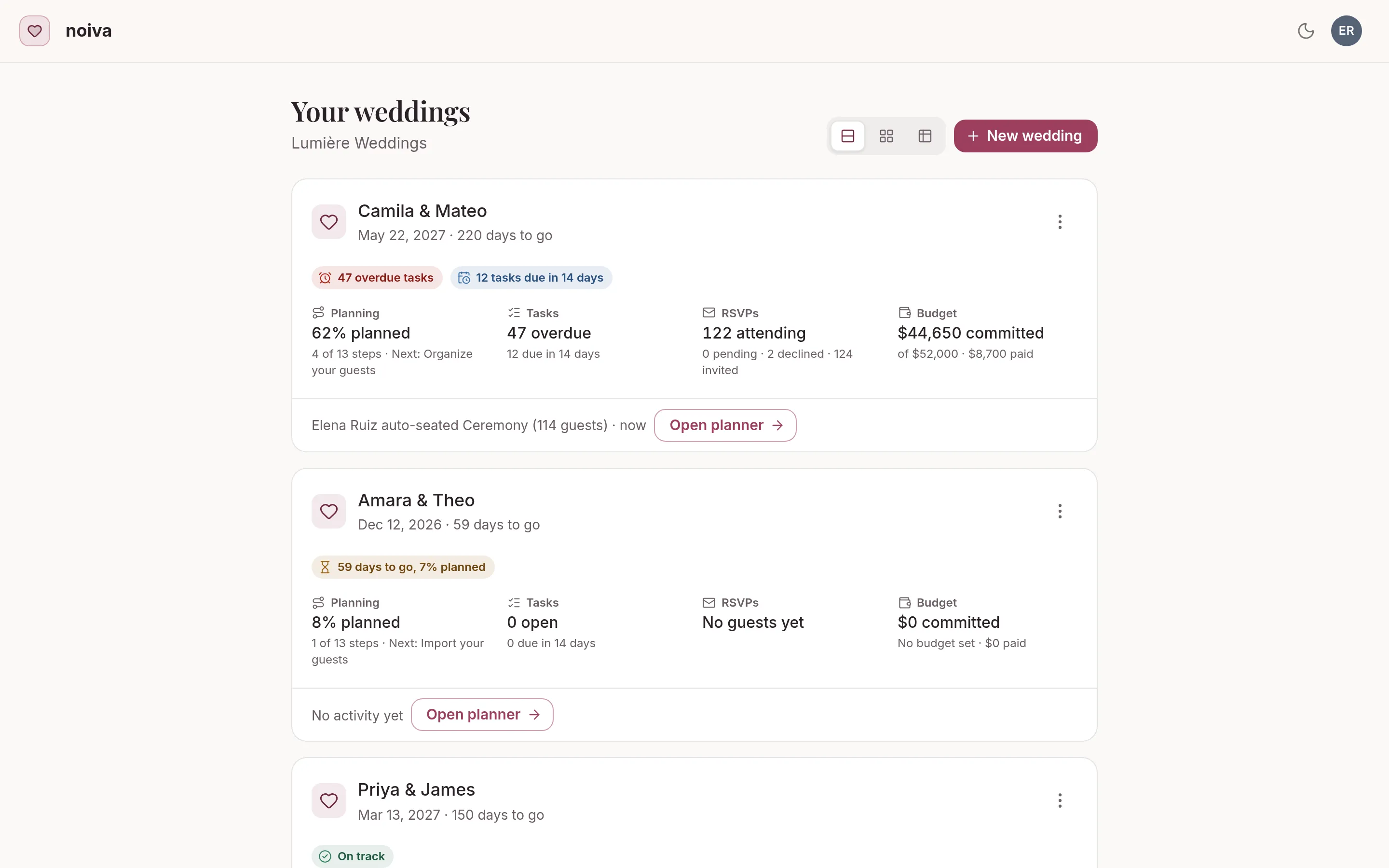
The weddings list: a card per wedding with progress, tasks and RSVPs
07

Plan together, in real time

Partners, planners and family on the same wedding at once, from any phone or laptop.

  • Real-time updates for everyone
  • Roles for family, friends and planners
  • Your wedding website
  • Every screen built for phones
See how planning together works →

Your wedding, beautifully under control.

Setting up your wedding takes a minute, and you won’t need a card or a password. Add your guests and invite your partner today.

Start planning your wedding